Build DJ mixes on a timeline.

Every transition perfect, every beat in place. GlideMix is a DJ mixing studio for mixtapes, radio shows and DJ sets: lay your songs out like in a DAW, the MixMeister way, and shape every blend at your own pace.

macOS + Windows · Beta · €49 one-time (Beta price, normally €89)
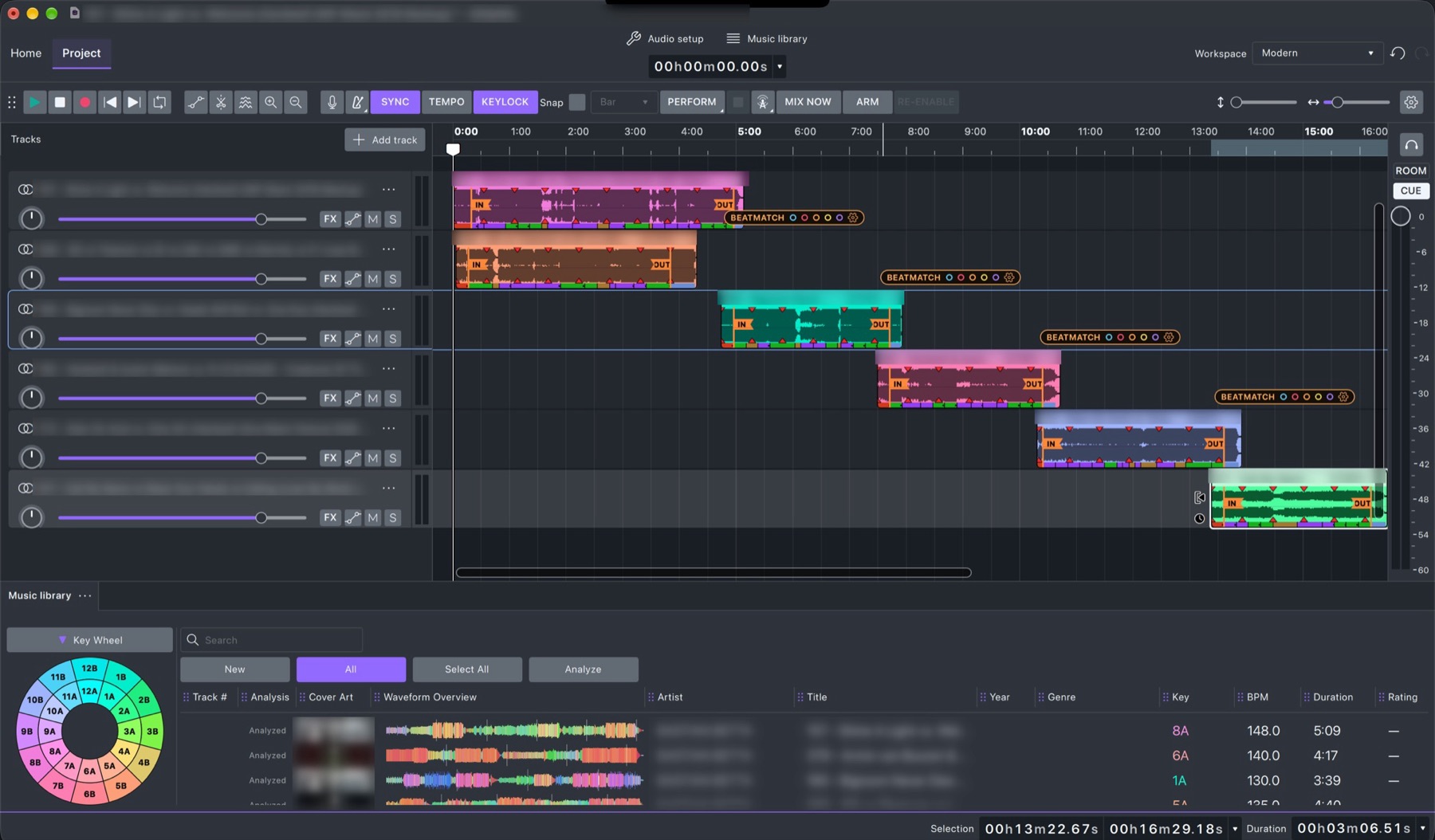
A mix of six songs in GlideMix: each song on its own lane, beatmatched and linked IN to OUT

Mix like a DJ. Edit like a producer.

Instead of mixing live on two decks, you arrange your songs on a timeline and decide exactly when the next one comes in, how long the blend lasts and which effects ride on it. Then play it back, perform it live, broadcast it, or export the finished mix.

🎚️

Beatmatched for you

Drop a song after another: GlideMix matches the tempo, locks it to the bar and lines up its IN with the previous song's OUT.

🎹

Key and energy

Camelot key wheel, harmonic matching, energy 1–10 for every song, and the energy of the whole mix drawn behind the tempo line.

📚

Your library, ready

Reads rekordbox XML and Lexicon, with their beat grids, keys, cue points and playlists. Smart playlists and watch folders.

🎛️

Effects and automation

Built-in DJ effects plus your own VST3 and Audio Unit plugins. Draw or record automation for any knob, Ableton style.

🥁

Stems

Split any song into drums, bass, vocals and other, right on your computer, and mix each stem on its own lane.

📻

Perform and broadcast

Two playheads like a mixer with cue, live streaming to Shoutcast and Icecast, and exports through a true-peak limiter.
Fast analysis

New songs are ready in about a second. On a Mac the beat grid runs on the graphics chip (Core ML) with the full, most accurate beat model.

⚡

≈ 1 second per song

288 songs fully analysed in 4 min 42 s on our test Mac: beat grid, phrases, key, energy and colour waveforms. rekordbox 7 took about 20 minutes on the same songs.

🎯

Close to rekordbox

Measured on 200 songs against rekordbox's own grids: the same tempo on 98% of them. Songs from rekordbox and Lexicon keep the grid you already have.

💬

Always know what it's doing

The status line shows "Analysing 7 of 20 · about 1 minute left" with a progress bar and Stop, explains any button you hover over, and tells you when a new version is out.

Library

Your music, analysed like a DJ app

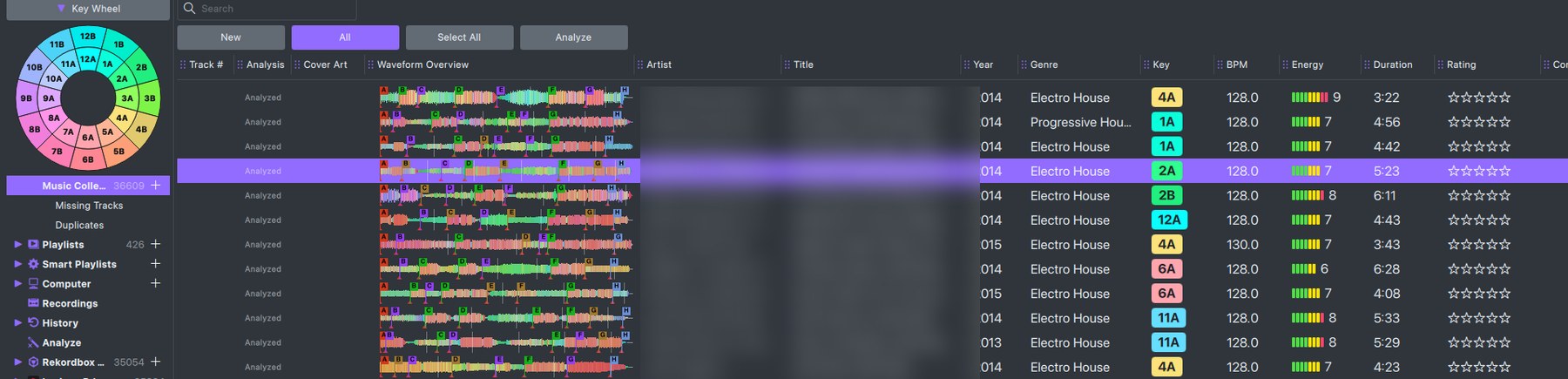
  • Tempo, beat grid, key and phrases (intro, chorus, drop, outro), shown right on each song.
  • Uses the analysis you already have: rekordbox and Lexicon songs bring their grids and keys.
  • Keys as coloured badges in the key wheel's colours, energy 1–10 as LED blocks, five-star ratings and cue points on the waveforms.
  • Smart Playlists, watch folders, Find Duplicates, and export to a folder or a rekordbox XML with hot cues ready for CDJs.
The GlideMix music library: key wheel, colour waveforms with cue points, key badges, energy blocks and ratings
Harmonic mixing

Click a key, see what fits

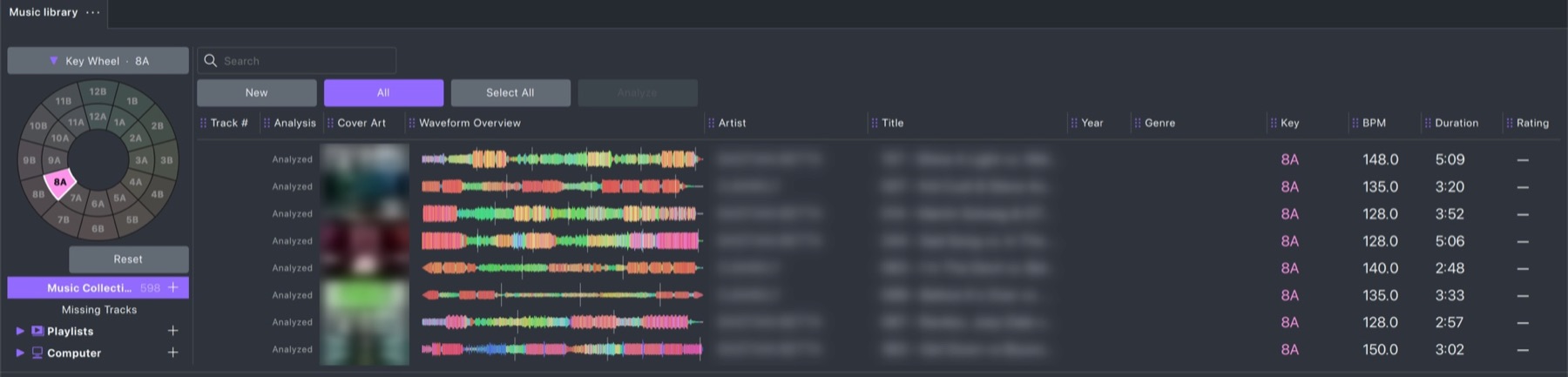
  • The Camelot key wheel filters your library to the keys you pick.
  • Smart playlist rules like key "mixes with" and BPM within ±%.
  • Match Key on a clip, Keylock to keep the pitch while the tempo changes.
The GlideMix key wheel with 8A selected
Waveforms

See the music in colour

  • HD colour waveforms on the timeline and in the library: bass red, mids green, highs blue, each drawn as its own layer.
  • A drop shows red and pink, a breakdown blue, vocals and leads green, so you see where to mix before you listen.
  • Zoom in to single beats: the grid, the phrases (Intro, Chorus, Down, Up) and the cue points stay on the song.
  • DJ style (RGB on black) or Classic in the track colour, and single wave for a compact view.
A GlideMix colour waveform close up: kicks in red, a breakdown in blue, vocals in green, with phrases underneath
Energy

See how your set builds

  • Every song gets an energy rating from 1 to 10; Lexicon songs keep Lexicon's.
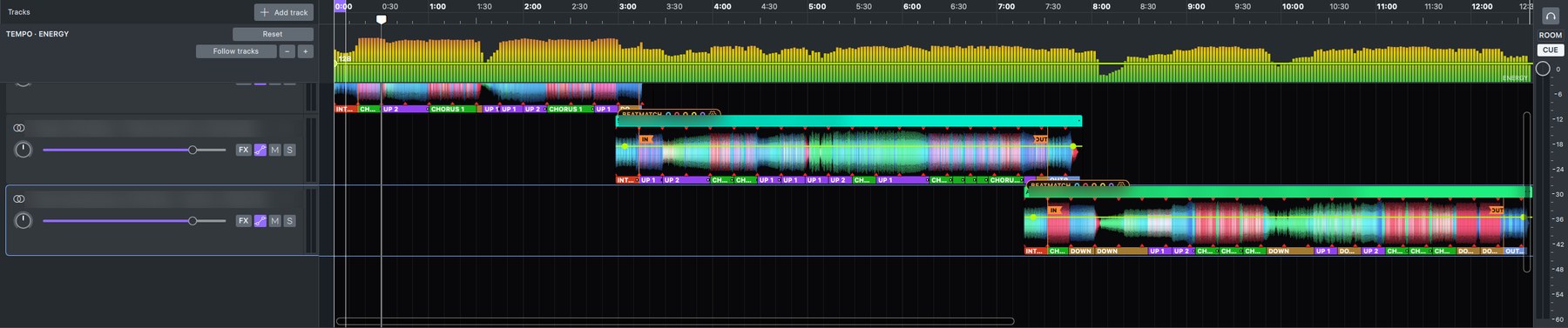
  • Press ENERGY and the whole mix is drawn like a row of level meters: green when it's calm, yellow as it builds, red at the peak.
  • Breakdowns and fades show as dips, so you spot two peaks in a row or a set that never takes a breath.
  • The tempo line rides on top in bright yellow.
The energy of a GlideMix mix as level-meter bars above the songs, with the tempo line on top
Timeline

Transitions you build yourself

  • Sync stretches every song to the mix tempo and locks it to the bar.
  • A tempo line with S-curve glides, smooth like a hand on the pitch fader.
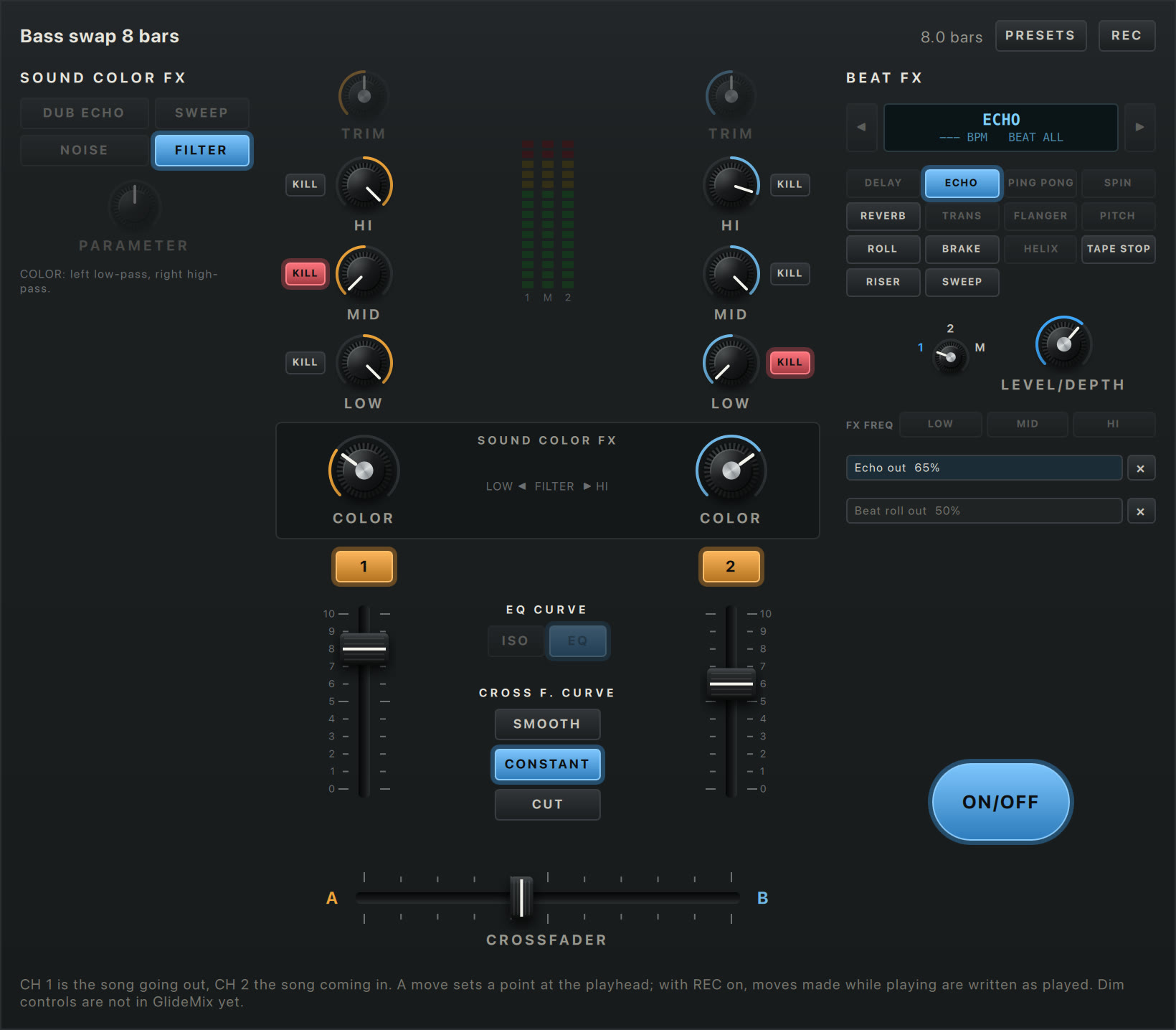
  • Crossfades, EQ swaps, filter sweeps, risers, echo and reverb outs, each fade with its own shape.
  • Mix Now pulls the next song in at the next bar.
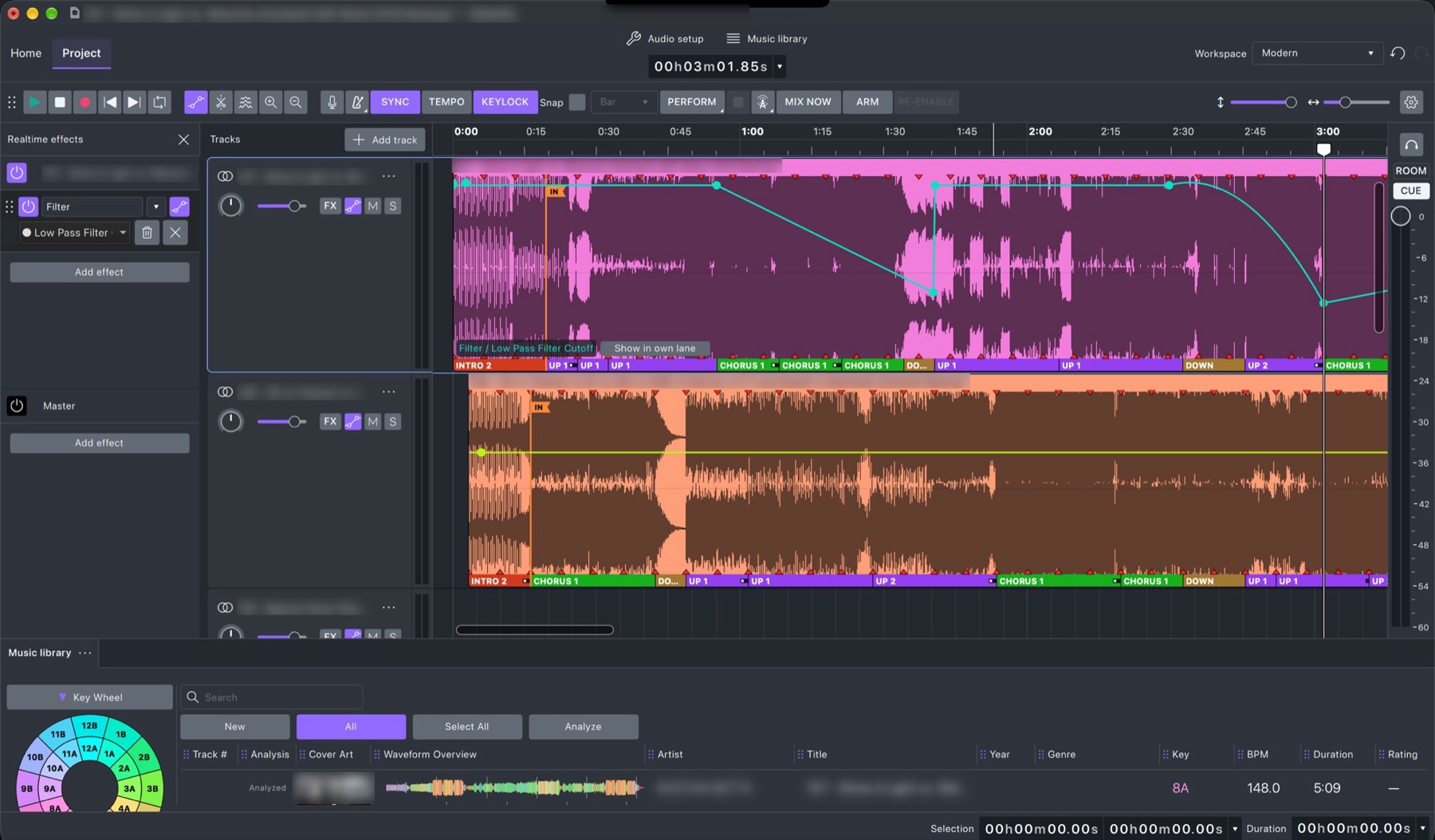
Automation in GlideMix: a low-pass filter sweep drawn on a song
Plugins

Your VST3 and Audio Unit plugins

  • Put them on a song, a stem or the whole mix.
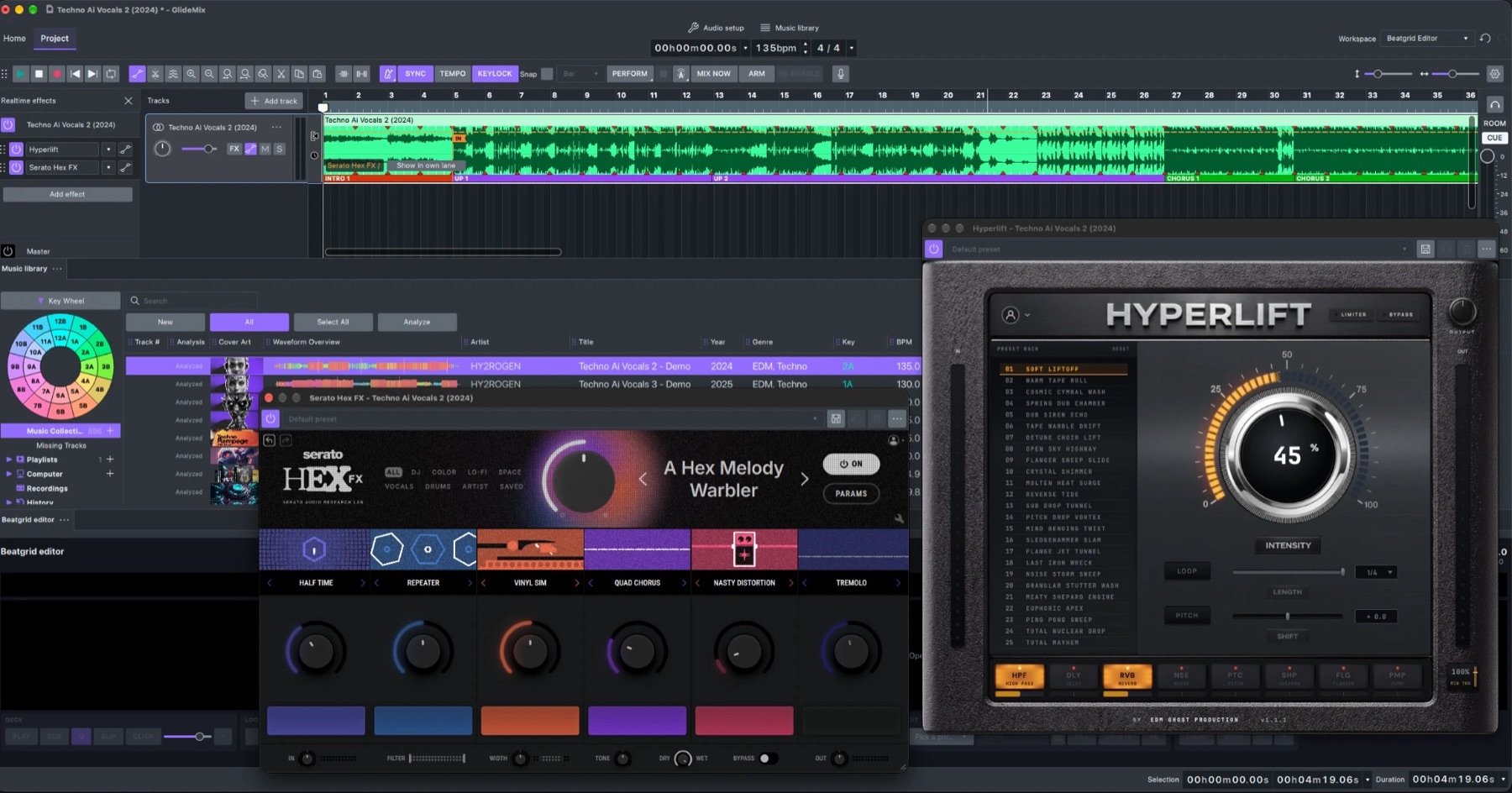
  • Open the plugin's own window or tweak its knobs inside GlideMix.
  • Every knob can be automated and recorded: arm, move a knob while the mix plays, and the move is written into the line.
Plugins open on a song in GlideMix
Stems

Drums, bass, vocals, other

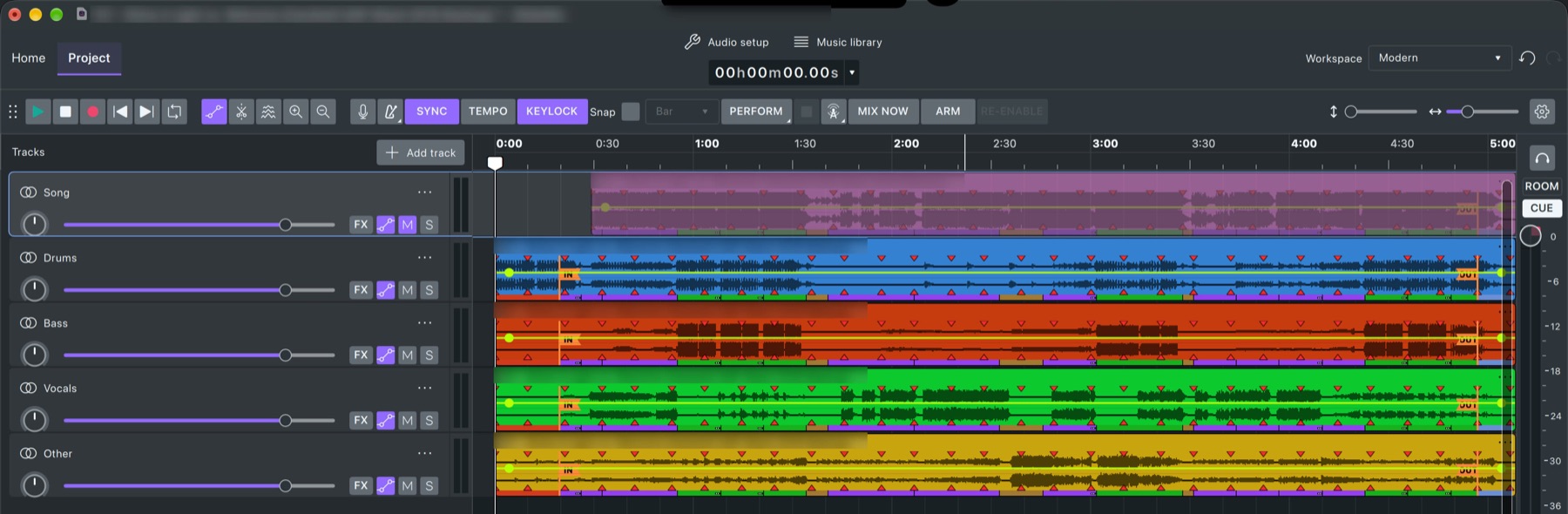
  • Split a song into four stems, each on its own lane under the song.
  • Drop the vocals of one song over the beat of the next, bring in the bass only on the drop.
  • Runs on your own computer: nothing is uploaded.
A song split into stems in GlideMix
Beat grids

Fix a grid like in rekordbox

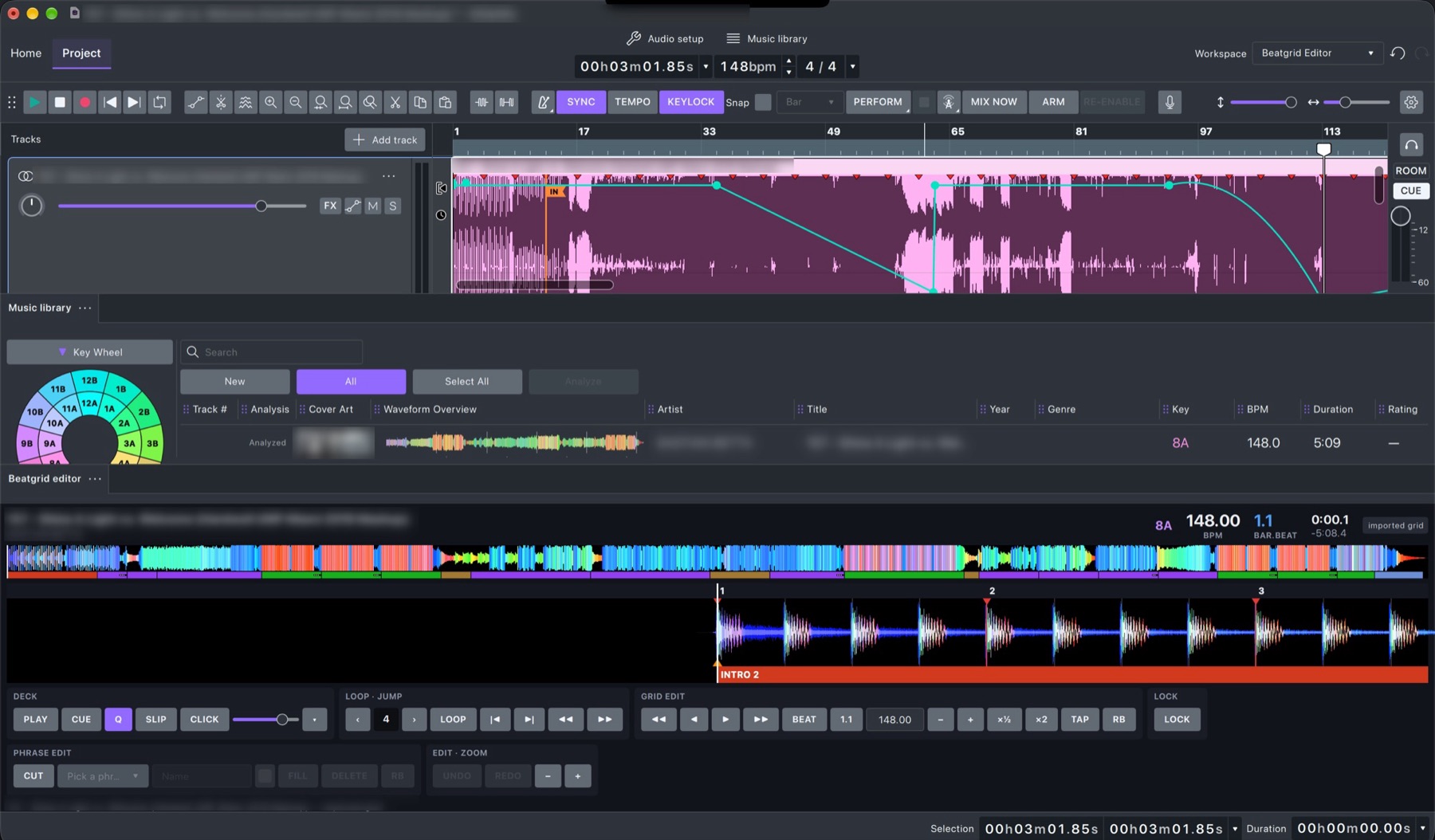
  • The whole song's colour waveform, a zoomed beat view with bar numbers, and the phrases underneath.
  • Move the grid beat by beat, set bar 1, halve or double, tap it, or take rekordbox's grid.
  • Edit phrases, loop and click a metronome to check by ear.
The GlideMix beat grid editor
Perform

Play it live, with cue

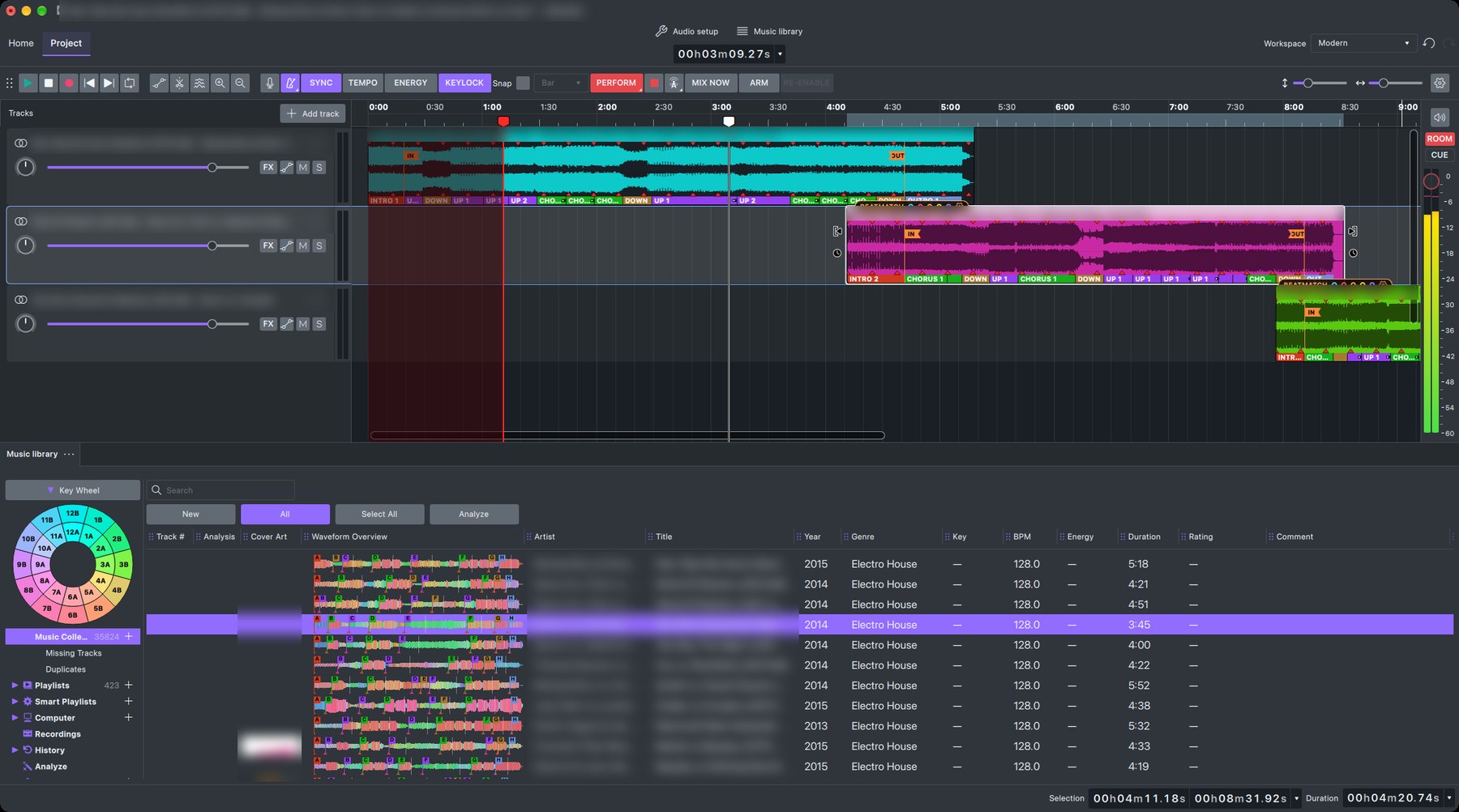
  • Press PERFORM and the red playhead plays the mix to the audience on outputs 1–2.
  • The second playhead is your headphone cue on outputs 3–4: listen ahead to the next blend while the crowd hears the mix.
  • Move songs, change a fade or pull the next song in with Mix Now while it plays.
GlideMix in Perform mode: a red audience playhead and a white headphone cue playhead
Broadcast

Your own radio show

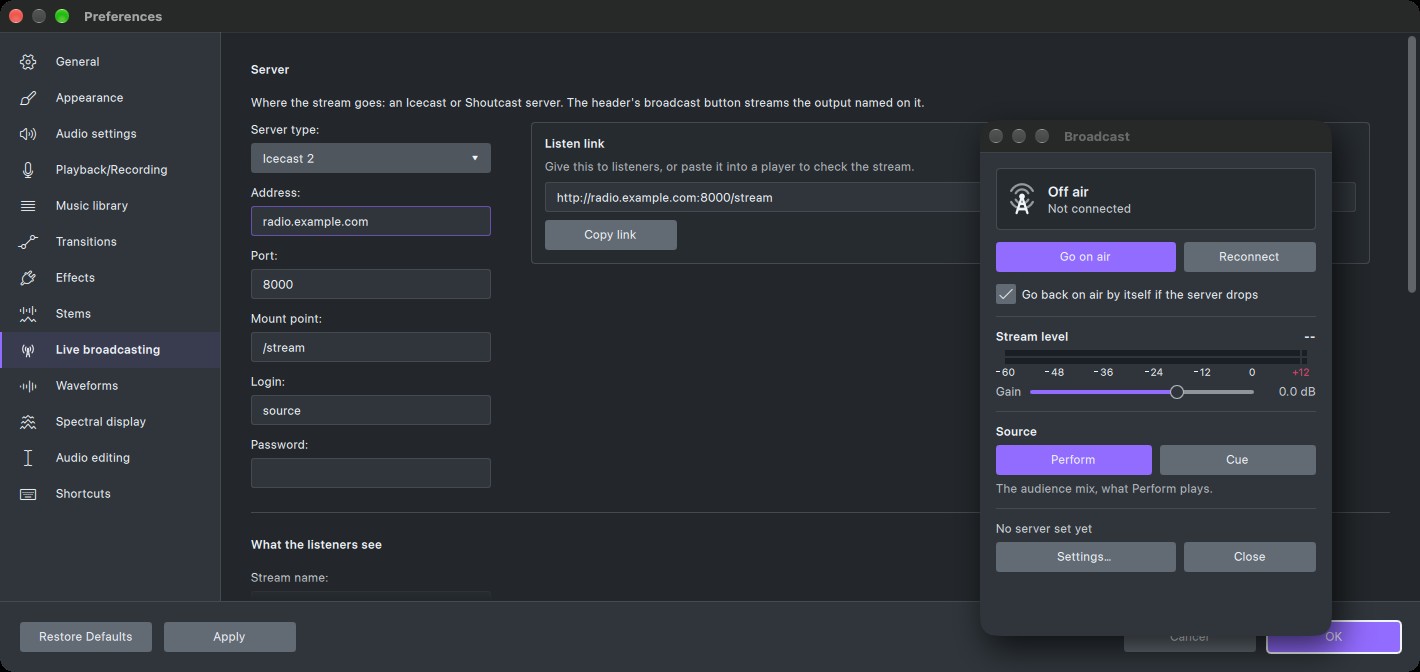
  • Stream what is playing straight to Icecast or Shoutcast (v1 and v2).
  • The song titles go to your listeners as the mix plays.
  • The Broadcast window: go on air, watch the stream level, set the gain, and send the audience mix or your cue.
  • Goes back on air by itself if the server drops, and gives you a listen link to share.
GlideMix live broadcasting: the Broadcast window over the Icecast server settings

Share the finished mix

Export that never clips

WAV, AIFF, MP3, FLAC and more, through a true-peak limiter at −1 dBTP, with a loudness report for Spotify, YouTube and Apple Music.

Tracklist included

Every export comes with a timestamped tracklist for Mixcloud and show notes, plus a .cue sheet.

Try it free

The demo has every feature. A voice says "Glide Mix demo" every two minutes, and exports are MP3 up to 20 minutes.
A licence removes that for good: €49 during the Beta (normally €89), one-time, 3 computers.